Sharing Previews, Even Without a Login
Since version 0.19, a preview can be shared by link with people who have no Knecht account, such as clients. The previews of a project can also be fully public.
A run is a single execution of a workflow on a project. If it boots the website, the site is reachable as a preview on its own address. Until now, only people logged in to the dashboard could open it. A client who is supposed to approve a change has no account there. Since version 0.19, there are share links for this and a setting for whether previews need a login at all.
Sharing a Link
The bar above a run's preview has a share button. A click copies a link that lets anyone open the preview without a login.
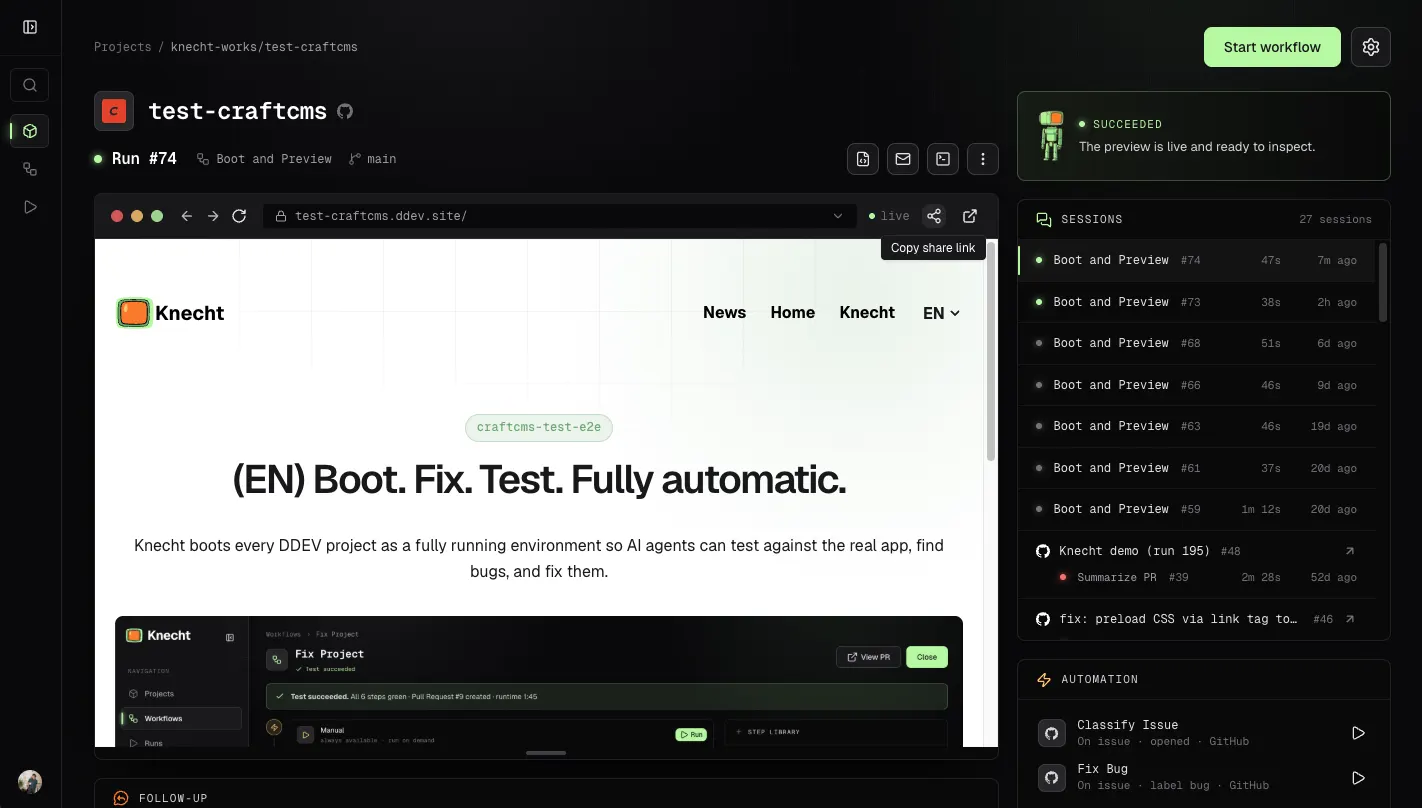
The link belongs to the session. It stays the same across all runs of the session.
On the first visit, Knecht moves the token from the link into a cookie and redirects to the same address without the token. The address the client then sees in the address bar, and might pass on, therefore grants no access.
Preview Policies
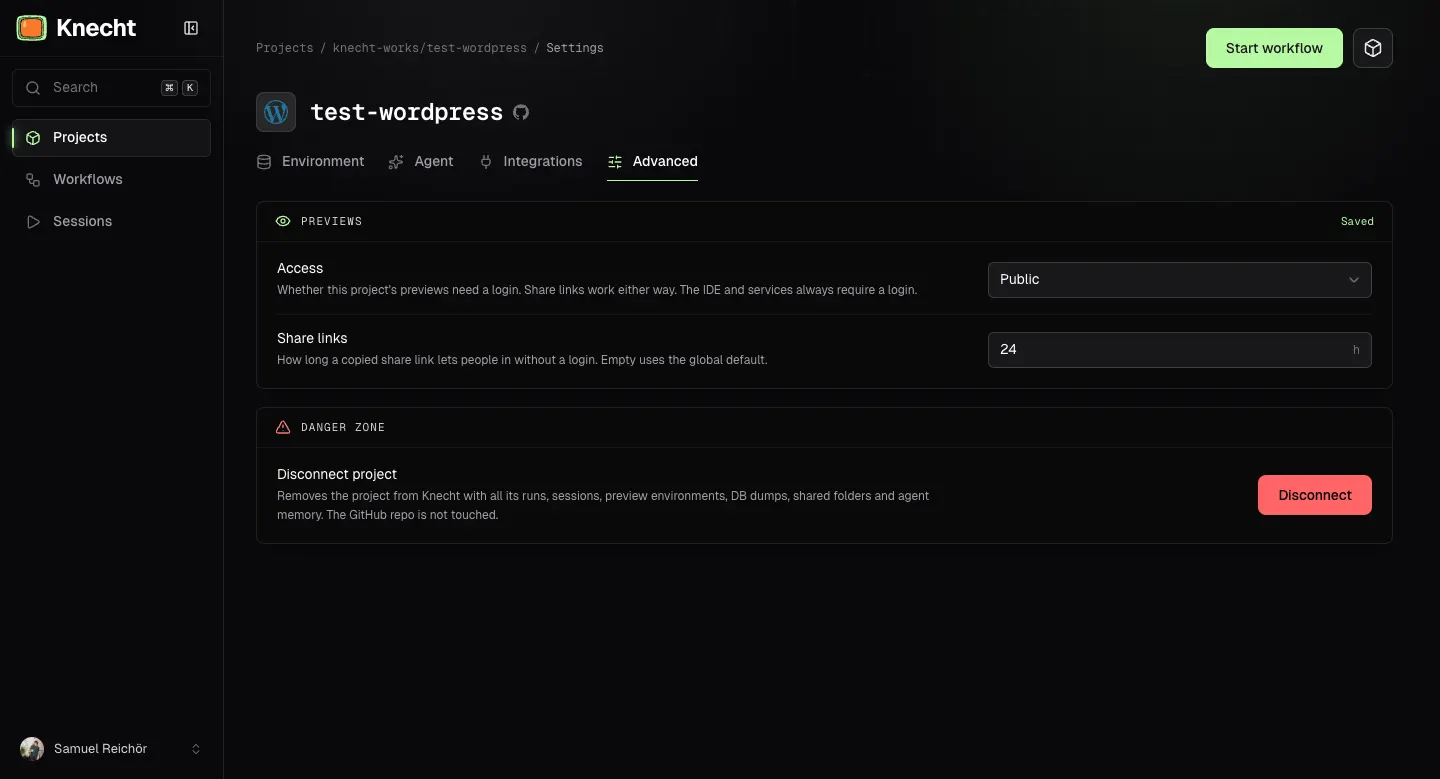
We also introduced the concept of preview policies. This means you can decide whether your projects should be login-gated at all. You can set a global policy that applies to all projects and override it per project.
For now, there are the following options:
- Public: Everyone can see the preview without a login or a share link.
- Login required: The preview is login-gated and can only be opened by Knecht members.
What Gets Shared
A run's environment holds more than the website. The terminal and the IDE give access to the code, and tools like Adminer give access to the database. A client who approves a change only needs the website. That is why share links and "Public" only cover the website and its dev server. Everything else still requires a login:
- "Terminal" and "Open in IDE"
- The environment's tools such as Mailpit or Adminer
Someone who gets a share link sees the site, but neither the code nor the database or the captured emails.