One Session for the Ticket, the PR and Everything in Between
Since version 0.21, a ticket and its pull request belong to the same session. A session also starts without a workflow, and the dashboard shows it as a whole.
A session holds the checkout, environment and agent conversation of one task. Until now, it belonged to exactly one ticket or pull request. When Knecht opened a PR for a ticket, reviews and comments on that PR landed in a new session. Since version 0.21, a session can hold several tickets and PRs. It also starts without a workflow, and the dashboard shows it as a whole instead of as single runs.
Ticket and PR Together
A PR that Knecht opens from a session now belongs to that session. A review or a mention on the PR runs in the same checkout and the same conversation as the work on the ticket. So the agent knows why it wrote the code this way.
If someone opens the PR by hand, Knecht attaches it to the session that works on its branch. Knecht also knows which ticket or PR a request came from, and it answers there. A mention on the PR gets its reply on the PR, not on the ticket. The session stays open until all of its tickets and PRs are closed.
Sometimes a review on the PR should look at the code without the history of the ticket. That works too, as the section Fresh Context explains.
Sessions Without a Workflow
Until now, a session in the dashboard needed a workflow. Anyone who only wanted to try something on the project or ask the agent a question had to build a workflow for it. The main action in the project header is now "Start session". It asks for the branch and has a "Boot a preview" switch.
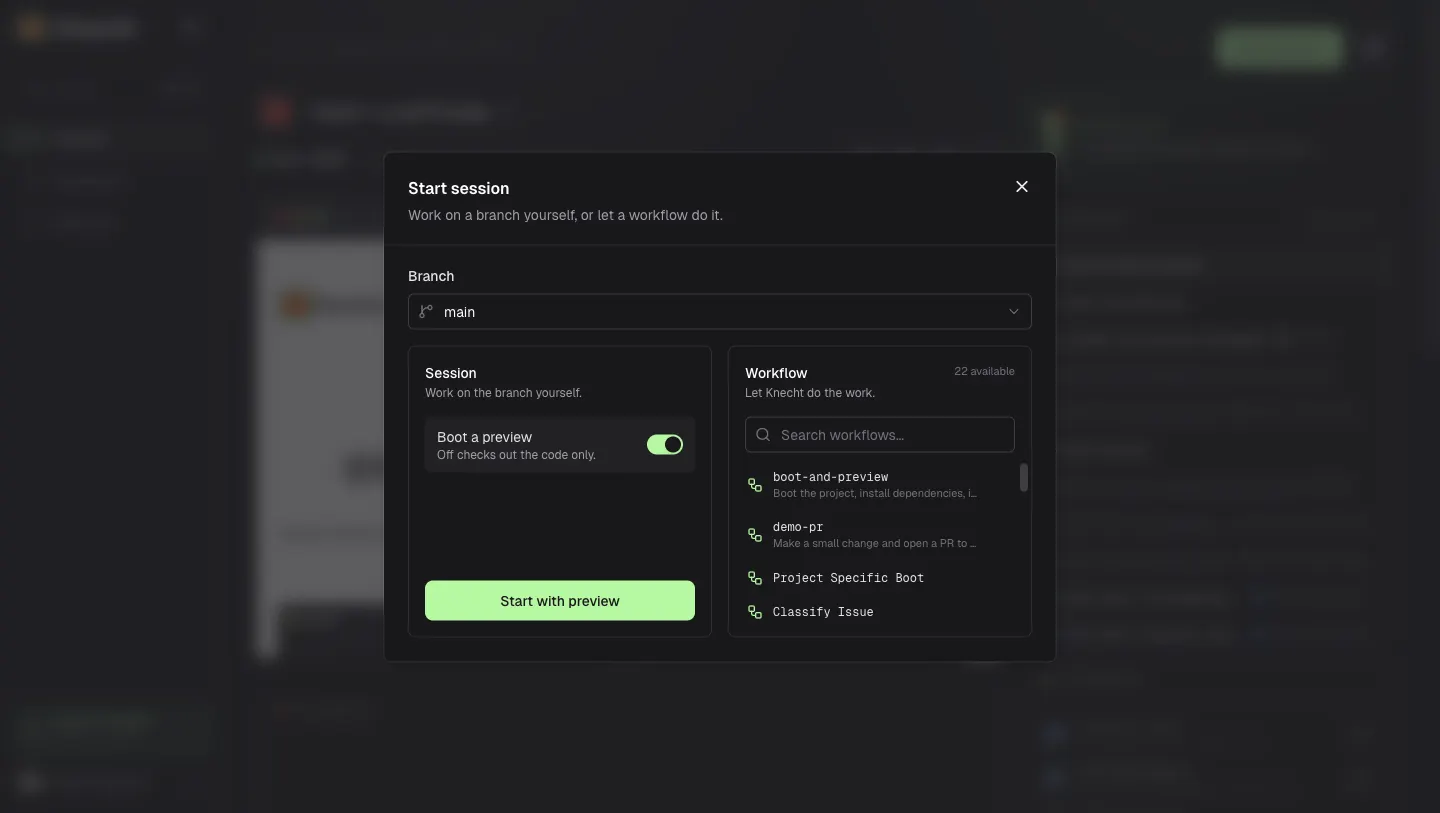
Without the switch, a code session starts. That is a light container with the checkout and the tools, but without a database and preview. The session gets its name from the first chat message, which a small model sums up in a few words. The same goes for runs that a mention starts. They are now named after their task instead of "Mention".
The Preview When Needed
A code session no longer shows an empty preview frame. If you do need the site, "Start preview" is in the "More actions" menu of the run header.
You can also ask the agent for a preview in the chat. And if the agent notices in a follow-up or a mention that it needs the running site, for example to reproduce a bug, it asks Knecht to boot it on its own. Knecht starts DDEV with the database, boot commands and dev server, and the agent continues in the same conversation once the site is up.
The Session in the Dashboard
A click on a session in the list now opens the whole session, not one of its runs.
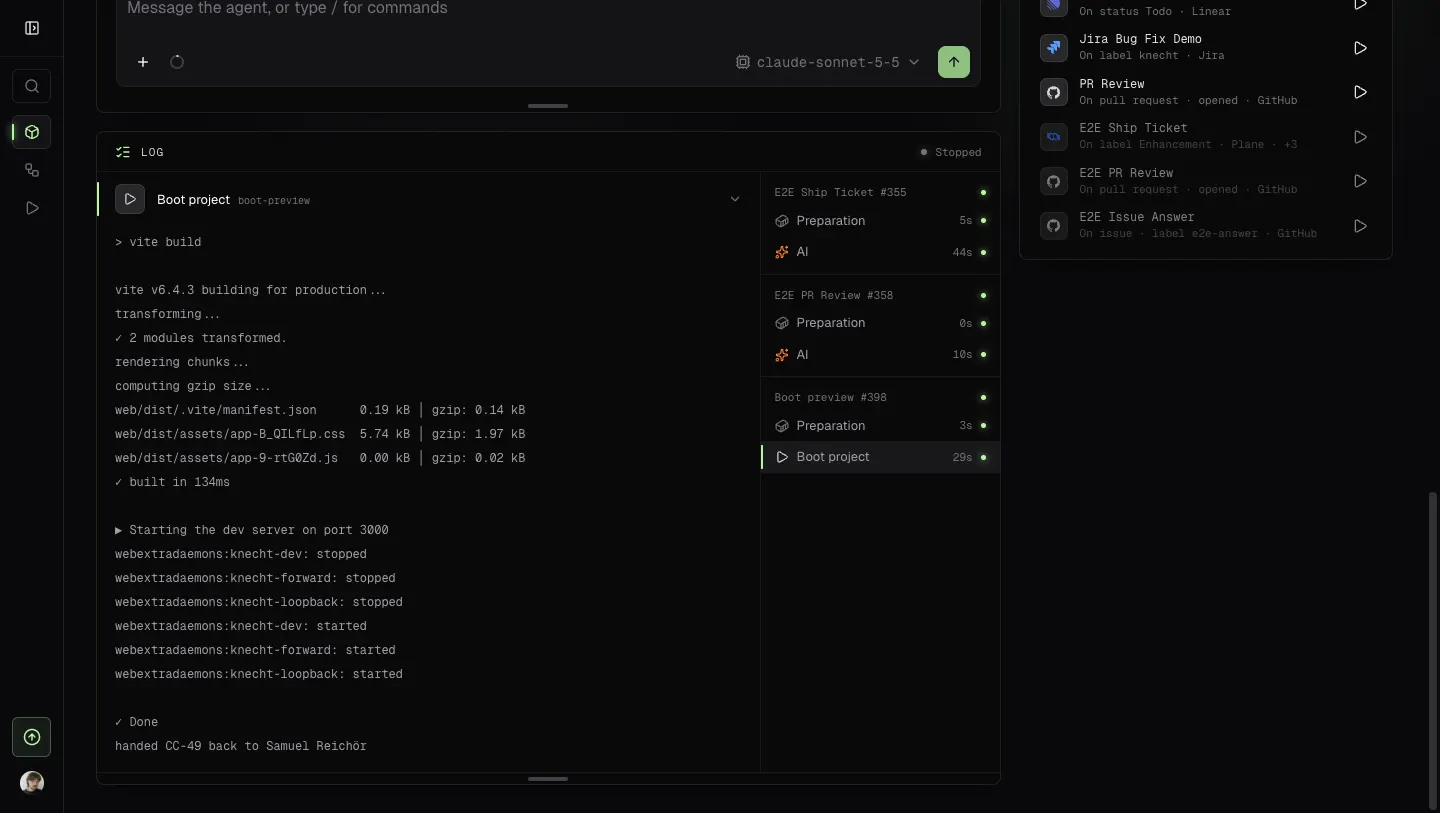
The header shows every ticket and PR of the session. A PR from an earlier run stays one click away, even if the current run has none of its own.
Fresh Context
All AI actions of a session share one agent conversation. That is usually what you want, because a fix should build on the analysis. Sometimes the history gets in the way, though, such as for a review that should look at the code without the author's reasons. For this, since version 0.21.1, every AI action has a "Fresh context" switch. The action then starts without the session's chat history, and the session's conversation stays untouched. The conversation gets the action's last message once, in its next step, so the agent there knows what the review found.